How to Pack an Office for Moving
by 
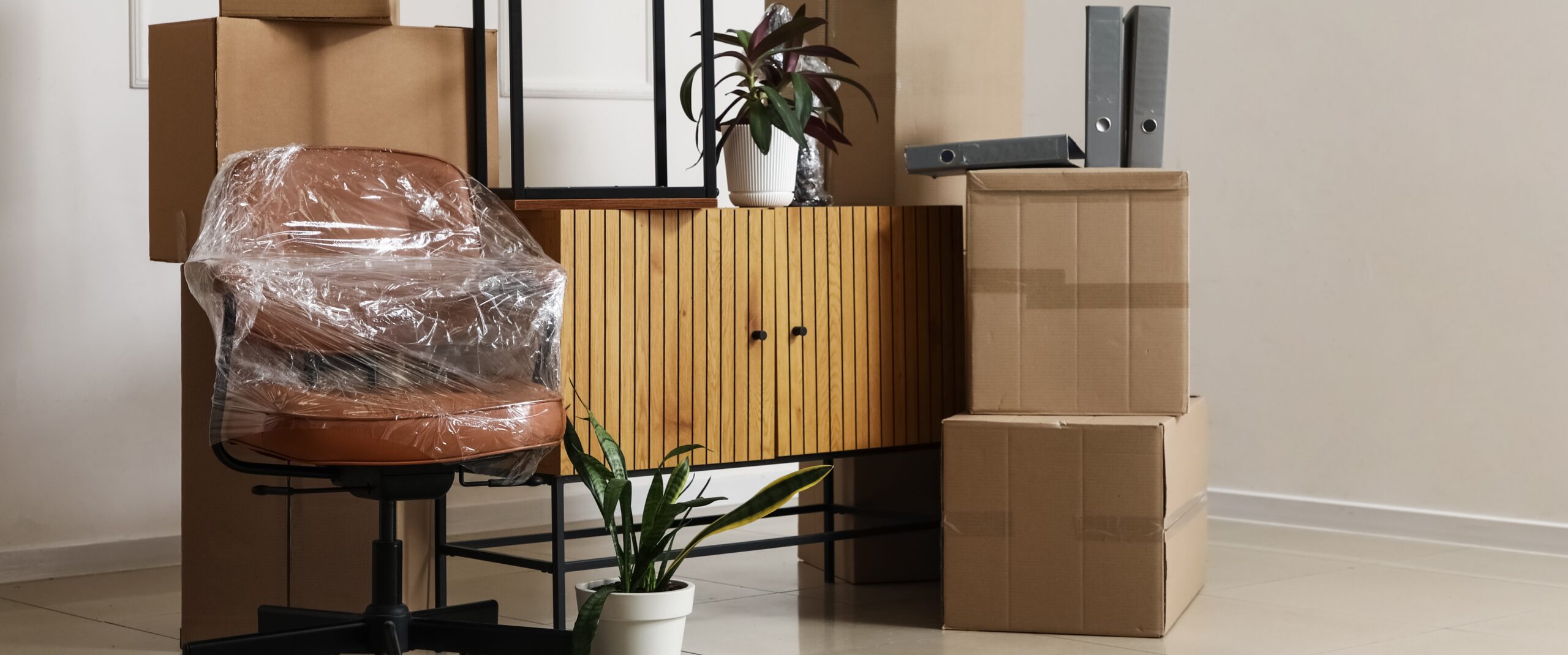
Packing an office can be easier when you work in sections: documents, electronics, artwork, books, and furniture.
Start by sorting any papers, documents, and files, as well as backing up computer files, and gathering packing supplies. Then pack any sensitive or important documents separately, protect computers with anti-static bubble pack, place framed artwork in the Mirror & Picture Box Kit, and use U-Haul Book Boxes for books.
These office moving tips help you prepare for packing a home office, gaming setup, or small business workplace.
Office Moving Checklist
Before you begin packing your office for moving, check this quick checklist to stay organized:
A quick moving checklist for your office space can help keep things organized, so unpacking is easier.
Gather the Right Office Packing Supplies
Offices, especially home offices, tend to contain a lot of heavy books, fragile decorations, important paperwork, and sensitive electronics. Ensuring you use the proper moving boxes and cushioning materials can help prevent items from shifting, making contact, or being damaged during transit.
Some recommended packing supplies include:
| Packing Supply | Recommended Use |
| Paper packing tape | Sealing and reinforcing moving boxes |
| Bubble Bags | Protecting small, fragile office items |
| Book Box | Packing books and other heavy items |
| Sturdy moving boxes | Packing general office supplies and décor |
| Picture Packer Kit | Protecting the corners of framed artwork |
| Mirror and Picture Box | Protect mirrors and framed artwork |
| Medium TV Kit | Packing compatible monitors and screens |
| Labels and markers | Identifying box contents and destination rooms |
| Anti-static bubble pack | Cushioning sensitive electronics |
| Small or medium electronics box | Packing computer towers and other electronics |
| Moving blankets | Covering furniture and larger office items |
Before purchasing any boxes, make sure to measure larger office items like monitors, computer towers, and framed artwork to ensure you can choose properly-sized boxes that leave enough space for cushioning without allowing excessive movement. It can also help to do a full inventory of everything in your office to get an idea of how many moving boxes you’ll need.
Sort and Pack Office Documents
Go through any paperwork and documents before packing them in a box. Shred or recycle any documents you no longer need, then organize the remaining files by category.
This may include:
| Document Category | Examples |
| Financial records | Bank statements, loan documents, investment statements, and insurance paperwork |
| Medical records | Medical history, dental records, prescriptions, and vaccination records |
| Tax records | Tax returns, W-2s, 1099s, and supporting documents |
| Pet documents | Veterinary records, vaccination records, adoption paperwork, and microchip information |
| Home or rental paperwork | Lease agreements, mortgage documents, utility records, and repair receipts |
| Employment records | Offer letters, pay stubs, benefits information, and employment contracts |
| Receipts | Moving receipts, purchase receipts, warranties, and proof of payment |
| Personal identification documents | Birth certificates, Social Security cards, passports, and other identification records |
Sorting these properly can help avoid searching through papers when you need them after your move.
How to Pack Files and Paperwork
Place loose documents in folders or binders before packing them. Keep each category together and clearly label the outside of the box. U-Haul offers file boxes to keep files safe and organized.
Use a small moving box, which will usually be easier to carry and keep the papers from shifting around.
If you are moving a file cabinet, make sure all drawers are securely closed with Mover’s Wrap. If your cabinet has a built-in lock, make sure to secure it properly as well. If the cabinet is too heavy, remove any contents inside to avoid injuries when carrying it.
If you’re moving a painted or finished cabinet, you may want to avoid taping surfaces directly. Tape and adhesive could possibly damage certain finishes. Use furniture pads with Mover’s Wrap.
Organize and Pack Office Electronics
Before unplugging equipment and cables, take a photo of your entire setup, including where each cable’s input and output is. This gives you a visual reference when it’s time to reconnect your computer, monitor, printer, router, and accessories.
Back up any important files to an external drive or cloud storage before packing your computer. Make sure to shut down each device completely, and if it has a lithium-ion battery (you use a cord to charge it), make sure the power level is below 30%.
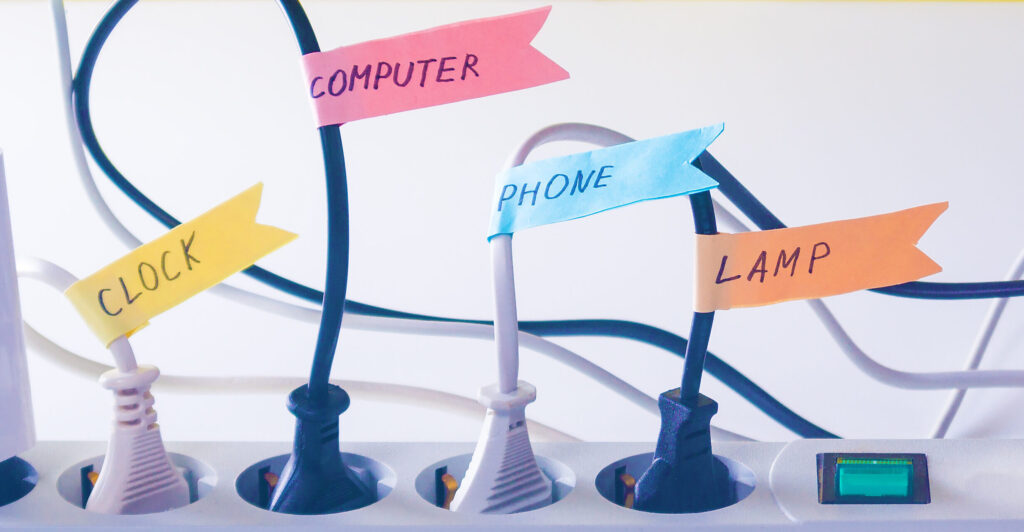
When you organize cords, make sure to do it one device at a time. Coil each cord without bending it too tightly to avoid damage. Secure the coils with a zip tie or a rubber band. After securing your cords, make sure to also label each one with the name of its device.
When packing cords, pack related cords together so that you don’t have to dig through various boxes to get the cords you need. If possible, pack the cords with the matching electronic, or take a piece of painter’s tape and write what electronic it’s for before wrapping the tape around the cord so that the name shows.
For packing small electronics, use a small electronics box. Small electronics include:
- Router
- Keyboard
- Mouse
- Headphones
- External drives
- Small speakers
- Cables and adapters
A medium or large electronics box may be a better fit for things like printers, scanners, and any other larger devices.
How to Pack a Computer for Moving
If you are trying to figure out how to pack a computer, how to move a computer, or how to pack a PC for moving, you’re in the right place. The main goal when packing a computer for moving is to protect the device from static electricity, impact, movement, and contact with other devices during transit.
How to Pack a PC for Moving
When packing a desktop computer, your first step should be to back up any important files before disconnecting any cables. Once you have made sure any sensitive information on your computer is backed up, shut down the computer completely. Next, disconnect all cables and accessories.
Now that your computer is ready to be packed, follow these steps to pack your computer properly:
- Place all accessories and cables in labeled bags
- Put your computer tower inside an anti-static bag or anti-static wrap
- Wrap the protected tower with bubble cushioning
- Add anti-static cushioning material to the bottom of a sturdy moving box
- Place the computer tower upright in the center
- Fill any empty spaces so the tower does not shift
- Add cushioning on top before closing the box
- Seal and clearly label the box “FRAGILE COMPUTER”
- Keep the box upright and avoid stacking heavy items on top
For your computer, a medium electronics box may be the right fit, but if you have a larger computer tower, you may need a large electronics box.
Picking the right sized box is important — you don’t want too much extra room inside your box, but you also want to have enough space so your tower can fit easily.
For more detailed instructions, see How to Pack a Computer for Moving or Shipping.
How to Pack a Computer Monitor
A computer monitor should be packed upright in a TV box.
Before packing your monitor, take a photo of all connected cables. This makes setup easier in your new home since you’ll know which cables go where. Then, unplug all cables, labeling them as you go. If your monitor has a stand attached, remove it if possible to make packing easier. Place the hardware in a labeled bag.
To protect your monitor screen, cover the monitor with an anti-static bag. Cushion the screen, corners, and edges without placing any pressure directly on the display.
Now slide your monitor into your TV box. Fill any extra space with cushioning materials to avoid shifting during transit. Keep the box upright during transit.
How to Move a PC Safely
Whether you are moving your PC in a moving truck, trailer, portable storage container, or personal vehicle, make sure to:
- Keep the box upright
- Avoid placing heavy boxes on top
- Keep it away from liquids
- Secure the box to avoid shifting
- Avoid leaving electronics in any extreme temperatures for extended periods
- Unpack and inspect the computer before reconnecting it
How to Pack Artwork and Picture Frames for Moving
The best way to pack artwork for moving depends on its size, frame, and surface. Small frames may fit in small or medium boxes, while larger paintings and framed artwork need a specialty picture box.
Remove artwork from the wall early so that you aren’t handling fragile pieces while Moving Helpers are carrying furniture through the room.
How to Pack Picture Frames for Moving
For smaller picture frames, wrap each frame individually in bubble pack, and cushion the corners to avoid damage during transit. Place frames upright in your moving box, using packing paper between frames. You should also use cushioning materials to fill empty spaces and limit shifting. Label your box “FRAGILE: PICTURE FRAMES”.
Avoid placing unprotected frames directly against one another.
For anything larger that won’t fit inside a moving box, use a mirror and picture box, a large mirror and picture box, or the Four-Piece Mirror & Picture Box. All of these are fantastic options for your specific size of mirror, artwork, or decor.
Be sure that you also use a Picture Packer Kit to protect the corners on your artwork.
How to Pack Paintings for Moving
For paintings and framed artwork, remove any loose hardware and place it in a labeled bag. Similar to picture frames, protect the face and corners of the artwork using the Picture Packer Kit.
Place your artwork upright in a picture box. Use a Picture Packer Kit to stabilize corners. Fill open spaces without pressing against the artwork. Seal and label the box as fragile.
A dedicated picture box gives framed artwork more protection than a moving blanket alone.
How to Pack Large Artwork
If your artwork does not fit in a standard mirror and picture box, use an adjustable box designed for large pictures or mirrors, like the Four-Piece Mirror & Picture Box. Do not force the frame into a box that is too small. You can also combine two large picture boxes to pack artwork up to 66” long and 48” wide!
Keep large artwork upright, fully cushioned, away from loose furniture, secured to avoid shifting, and free from any heavy items placed on top.
For full instructions, see How to Pack Pictures, Mirrors, Framed Art and Paintings for Moving.
Pack Fragile Office Décor
Office decor may include awards, trophies, clocks, models, collectibles, and desk accessories. Pack each fragile item separately using packing paper, bubble bags, or other cushioning material.
Follow these steps:
- Remove loose or detachable parts
- Wrap each item individually
- Place heavier items on the bottom of the box
- Keep fragile items separated
- Fill open spaces with packing material
- Add cushioning across the top
- Label the box as fragile
Use a small or medium moving box to help limit weight and movement. Do not overfill the box or force the top flaps to close.
Learn more about How to Pack Fragile Items for Shipping
How to Pack Books for Moving
The best way to move books when moving houses is to place them in small, sturdy boxes. Books can get heavy very quickly, so several manageable boxes are better than one oversized box.
Use a U-Haul Book Box, or a small or medium moving box, depending on the number and size of your books.
How to Pack Books in a Box
Because books can get heavy fast, an important first step before packing your books is to reinforce the bottom of your moving box. Additionally, sort books by size so you can distribute weight evenly.
When packing books in a box, make sure to place books flat, or with the spine facing down, to avoid any damage to the books. Packing books with the pages facing down can place pressure on the binding. Fill any gaps with packing paper to prevent books from shifting inside the box.
Make sure you also keep boxes at a manageable weight and distribute weight evenly between boxes. Once your boxes are packed, seal them with paper packing tape and label the box “BOOKS” as well as the destination room.
Any valuable or collectible books may need individual wrapping for added protection. Keep any liquids, markers, and items with sharp edges out of book boxes.
Prepare Office Furniture for Moving
After smaller office items are packed and desks or any surfaces of office furniture are cleared off, you can begin preparing your office furniture for moving. This could include desks, shelves, chairs, and file cabinets.
Before disassembling furniture:
- Take a photo of furniture for easier reassembly
- Empty drawers and shelves
- Remove loose shelves
- Place screws and hardware in labeled bags
- Attach the hardware bag securely to the matching furniture piece
- Protect surfaces with furniture pads
- Secure drawers and doors without applying tape directly to finished surfaces
- Measure furniture, doorways, hallways, and stairways
Pro Tip: If you kept any instructions for building your office furniture, have them handy to make assembly easier in your new home.
Final Moving Office Tips
A smooth office move starts with organization. Back up important files, keep sensitive documents with you, protect electronics with anti-static materials, and use the correct boxes for artwork and books.
Find the boxes and protective materials you need by shopping moving boxes and packing supplies. For more room-by-room guidance, explore additional packing tips.
Moving Supplies
We have all the boxes, tape, and packing supplies you need.
-
Furniture Pad (Moving Blanket)
-
Packing Paper for Moving (200 Sheets) - 100% Recyclable Newsprint Paper - 24” x 30” Packing Sheets
-
Double-Walled Shorty Wardrobe® Moving Box for Clothes
-
Small Moving Box
Frequently Asked Questions about Packing an Office
What is the best way to start packing an office for moving?
Start by sorting paperwork, backing up computer files, and identifying items that need specialty boxes. Pack nonessential books and décor first. Keep sensitive documents, essential electronics, and daily office supplies accessible until moving day.
What is the best way to pack artwork for moving?
Protect the surface and corners, wrap the piece with cushioning, and place it upright in a Mirror & Picture Moving Box. Use a Picture Packer Kit or suitable corner protection to stabilize framed artwork and fill gaps without pressing against the artwork.
What is the best way to pack books for moving?
Use small, sturdy book boxes and reinforce the bottoms with paper packing tape. Pack books flat or with their spines facing down, fill gaps with packing paper, and keep each box at a manageable weight.
Should important documents go in the moving truck?
Sensitive or irreplaceable documents should stay with you rather than being loaded deep inside a moving truck or container. Keep them in a clearly marked file case, bag, or small box that remains accessible.
What should be packed last in a home office?
Pack the items you use most often last, including your laptop, charger, router, essential documents, and basic office supplies. Put them in an “open first” box so you can quickly set up a functional workspace.
Photo Sources: Adobe Stock | Adobe Stock
For more than 80 years, orange has been an iconic and recognizable color in moving and storage, signifying U-Haul products and services and the quality, affordability, and convenience they provide.